Ongoing work goes wrong in familiar ways.
- “Can you do a few more this month?”The extra videos arrive, but the fee doesn’t change.
- You quote per video, every time.You never know how busy next month will be.
- Revisions have no end point.Round four on a 30-second Reel, and nobody agreed on a limit.
- Payment drifts later each month.And there’s nothing written down to point to.
That usually isn’t a difficult client. It’s an arrangement that was never defined.
Where it fits
Eight steps, each with a working document
- Know when a retainer makes senseRecurring work signals, when not to offer one, and a Retainer Readiness Check.
- Build the retainer packageMonthly deliverables, what’s included and not included, turnaround and revision rounds.
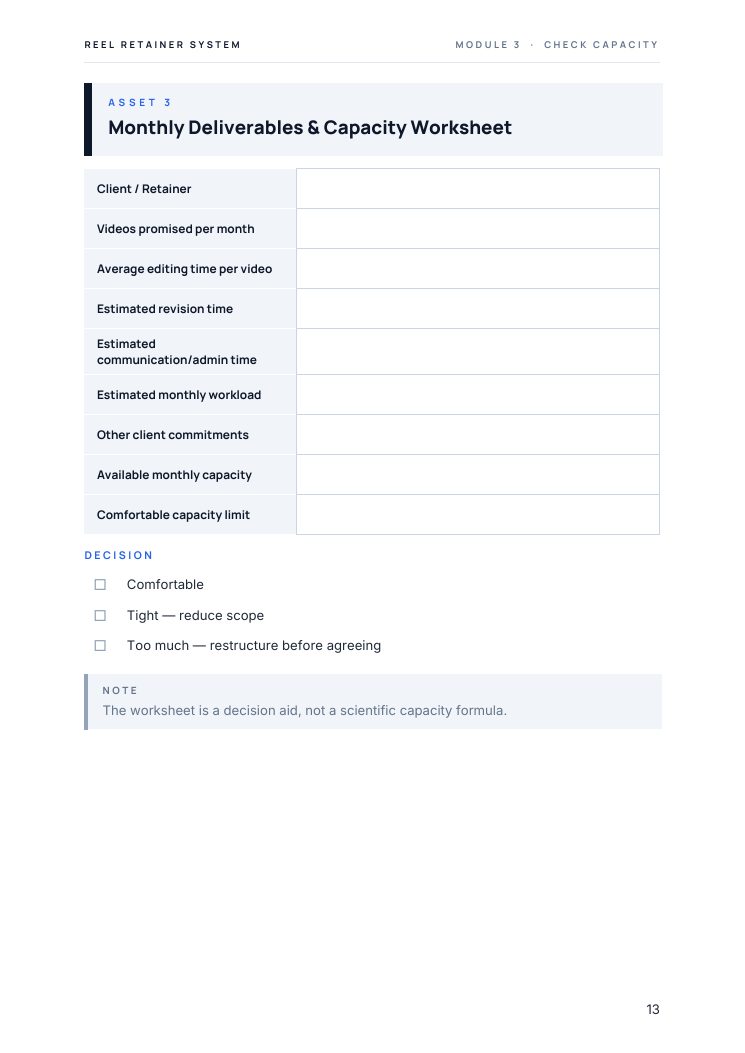
- Check capacity before committingYour real editing, revision and communication time against the hours you actually have.
- Onboard the retainerContacts, approver, file sharing, brand assets, workflow rules and the first cycle.
- Create a simple content intake systemWhat should arrive with each batch, and what to do when information is missing.
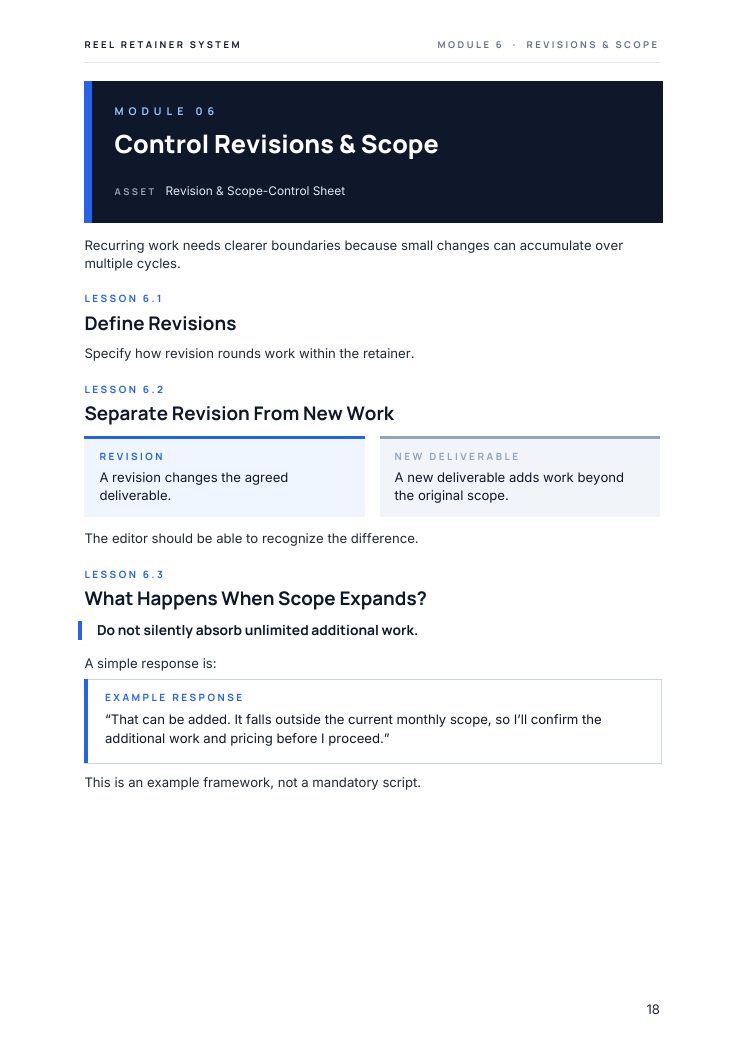
- Control revisions and scopeRevision versus new work, and how to handle requests outside the monthly scope.
- Run the monthly client workflowStart of month, during the month, end-of-month review.
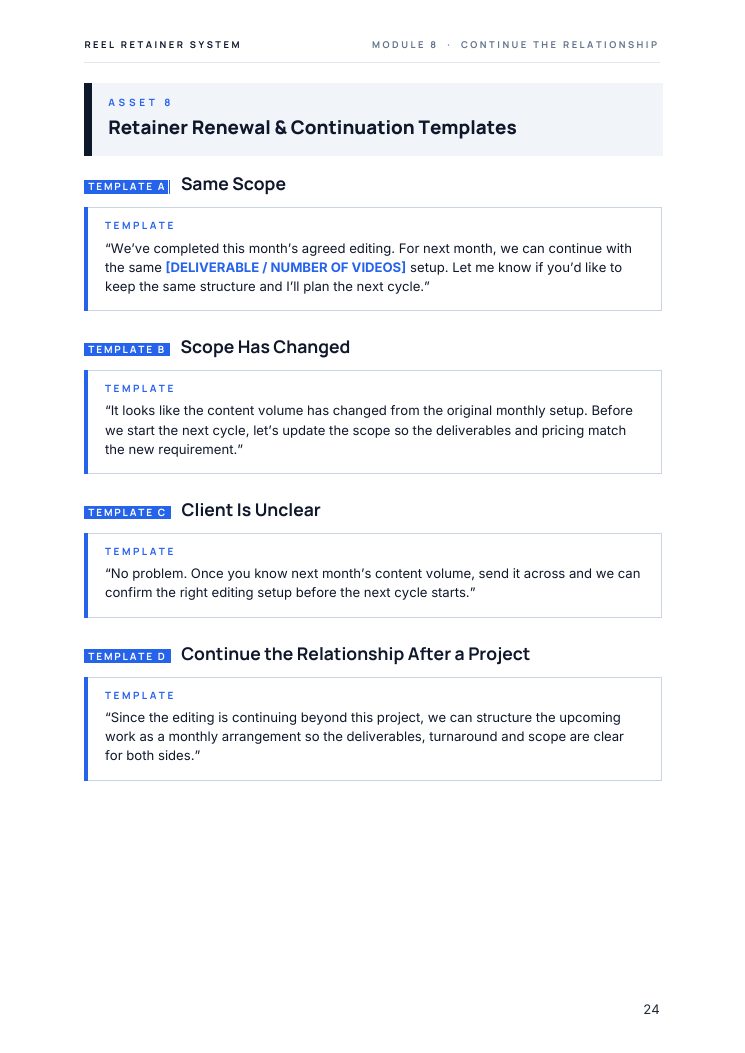
- Continue the client relationshipRecognise a healthy retainer, update a changed scope, and the continuation conversation.
What you get
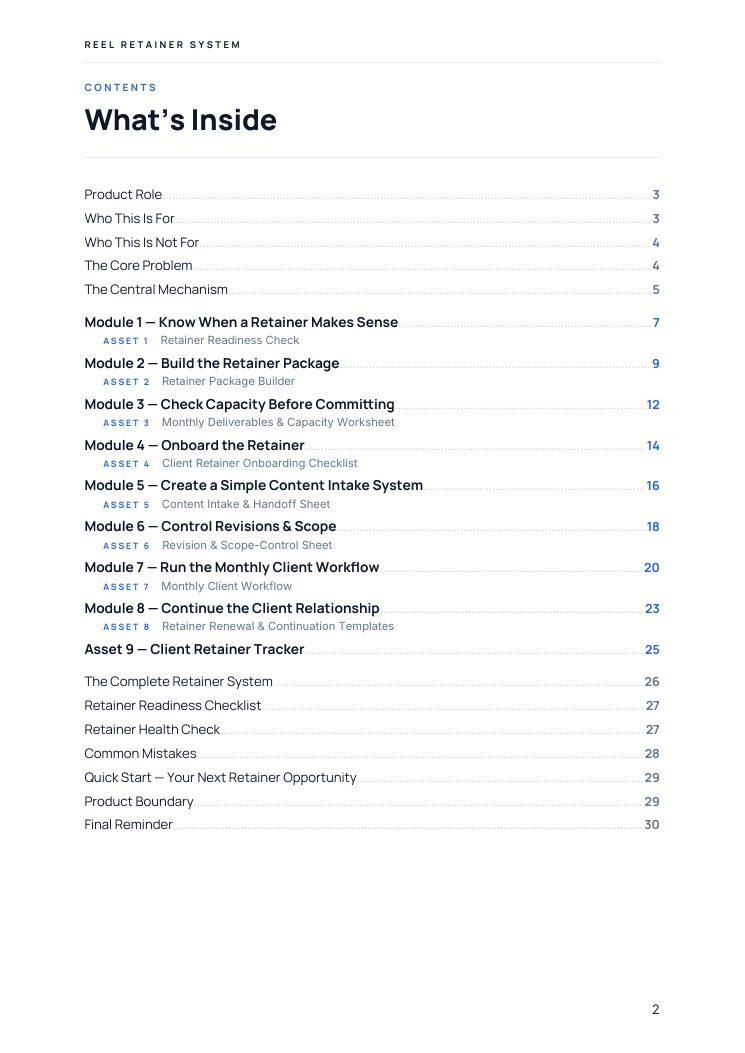
- The Reel Retainer System guide (PDF, 30 pages, 8 modules), with 9 working assets inside: Retainer Readiness Check, Retainer Package Builder, Monthly Deliverables & Capacity Worksheet, Client Retainer Onboarding Checklist, Content Intake & Handoff Sheet, Revision & Scope-Control Sheet, Monthly Client Workflow, Retainer Renewal & Continuation Templates and Client Retainer Tracker
- Also in the guide: Retainer Health Check, common mistakes and a one-page Quick Start
- Retainer Package Builder & Capacity Calculator (editable spreadsheet)
- Client Retainer Tracker (editable spreadsheet)
- Monthly Editing Retainer Proposal template (editable Word document)
- Retainer Agreement Outline (editable Word document, plain-language terms, not legal advice)
- Monthly Client Summary template (editable Word document)
- A START-HERE note with the recommended order of use
What you can inspect before buying
These are real pages from the guide and unedited screenshots of the spreadsheets exactly as you’ll receive them, blank. Tap any image to open it full size.
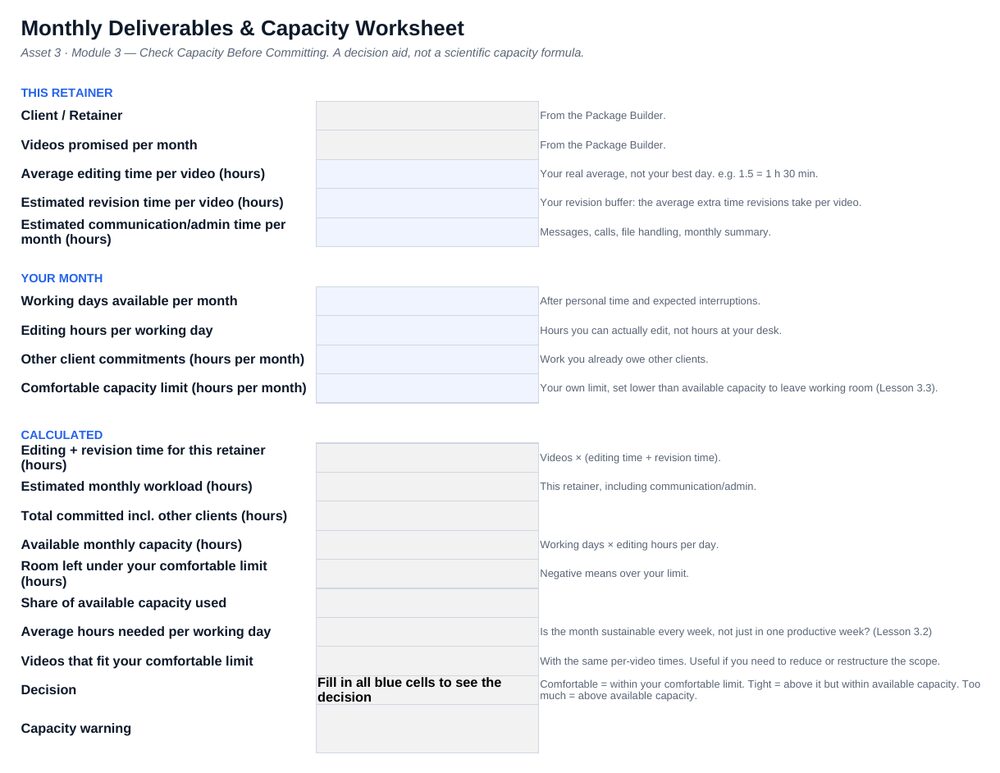
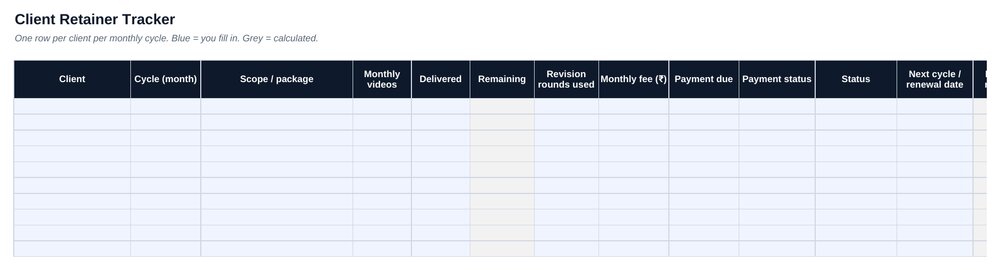
Illustrative example: invented numbers, not a customer result
How the calculator reaches a decision
A 12-video monthly package (one of the example structures in Module 2), run through the real Capacity Check formulas:
- 12 videos × (1.5 h editing + 0.5 h revisions)
- 24 h
- Plus 6 h communication and admin
- 30 h
- Plus 30 h already owed to other clients
- 60 h
- Available: 20 working days × 4 editing hours
- 80 h
- Your own comfortable limit
- 64 h
- Decision
- Comfortable, with 4.0 h to spare
Make it 16 videos and the same sheet returns “Tight — reduce scope” (68 h against a 64 h limit). The calculator doesn’t suggest a price or predict earnings; it checks the workload you define.
There are no customer reviews here yet. The Reel Retainer System is new and we haven’t collected verified reviews, so this page shows you the product itself instead.
Add it if…
- You’ve completed a project for a client, been asked for ongoing editing, or have an opportunity that could reasonably become recurring.
- You want monthly work with clear limits instead of open-ended favours.
Skip it if…
- You’re just starting to look for your first client. Focus on the guide you bought.
- You want editing training, agency-building or hiring advice.
- You’re looking for guaranteed income. Nothing here promises that.
Reel Retainer System
You’ll complete a separate secure Razorpay payment for ₹999 on its own checkout page. Your Reel Client Pipeline order is already complete and won’t change, whichever you choose.
No thanks, take me to my order detailsIs the agreement a legal contract?
No. It’s a plain-language outline of the terms to agree with a client. If you need a formal contract, consult a qualified professional.
Does it tell me what to charge?
No. You set your own monthly price. The guide helps you check that the price matches the defined workload, and the calculator shows your price per video and per hour of workload so you can judge it. It doesn’t give market rates or promise earnings.
How is it delivered?
By email straight after payment, to the address you use at checkout.
Can I get a refund?
It’s a digital product delivered straight after payment, so the same terms as your guide apply. See the Refund Policy.